
<img height="1" width="1" style="display:none" src="https://www.facebook.com/tr?id=653457899146166&amp;ev=PageView&amp;noscript=1">
Skip to content
English
  • There are no suggestions because the search field is empty.

Managing Your Customer's Order Follow-up

This guide explains how customers can follow up on their orders, and how your front-liners can view and manage these requests through the Merchant Mobile App.

Customers always check the status of their order regularly, whether it is an instant order that is expected to arrive within a few hours, a same-day delivery order, or a delivery that requires extended duration. 

Customer's View to Follow-up Order
The Follow-up Order button will only be clickable again 30 minutes after the previous request has been sent.
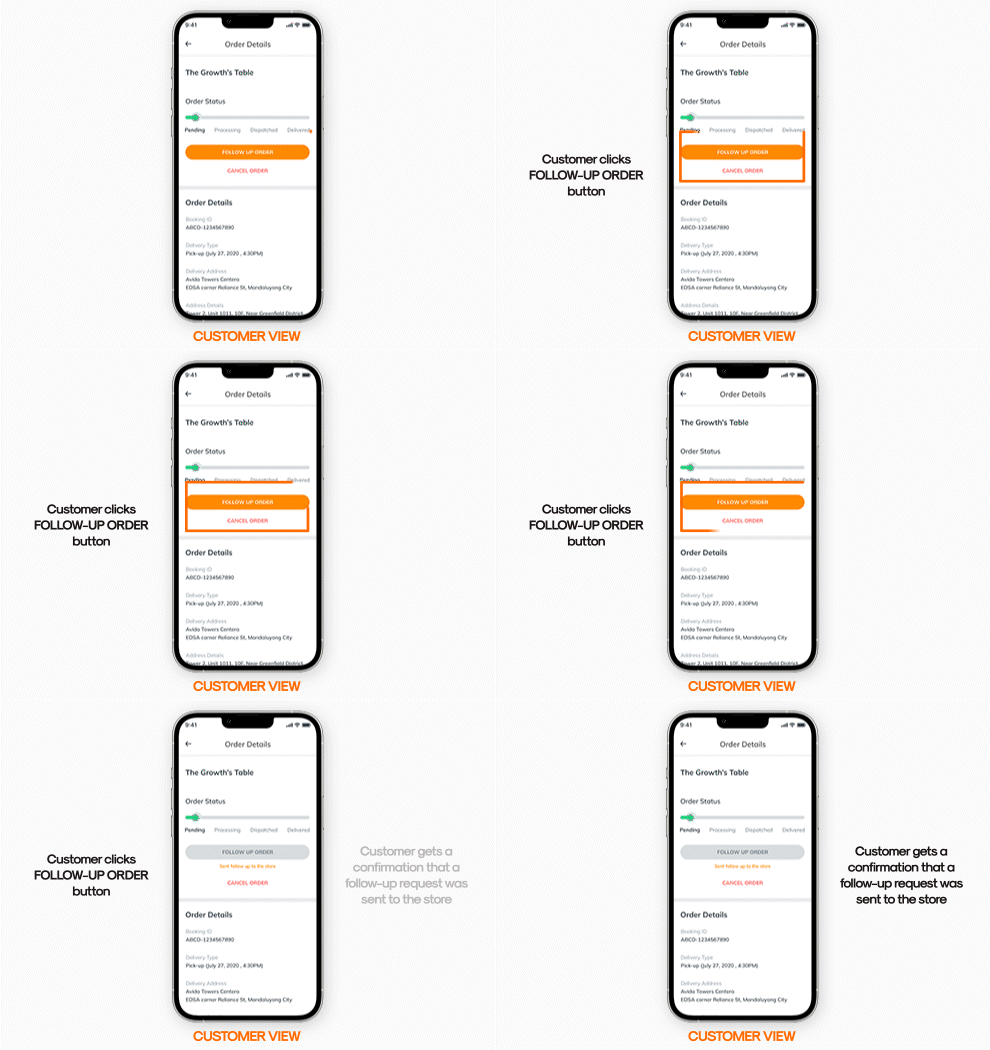
Customer App experience where a customer follows up an order by clicking on the Follow Up Order button, which then greys out which indicates the request is being sent to your brand.


Store View on the Merchant Mobile App
The merchant can directly contact the customer if the merchant needs to clarify anything. To do this:

  1. Employee should log in to the Merchant App
  2. Check the pending orders
  3. Select the order which needs to be clarified
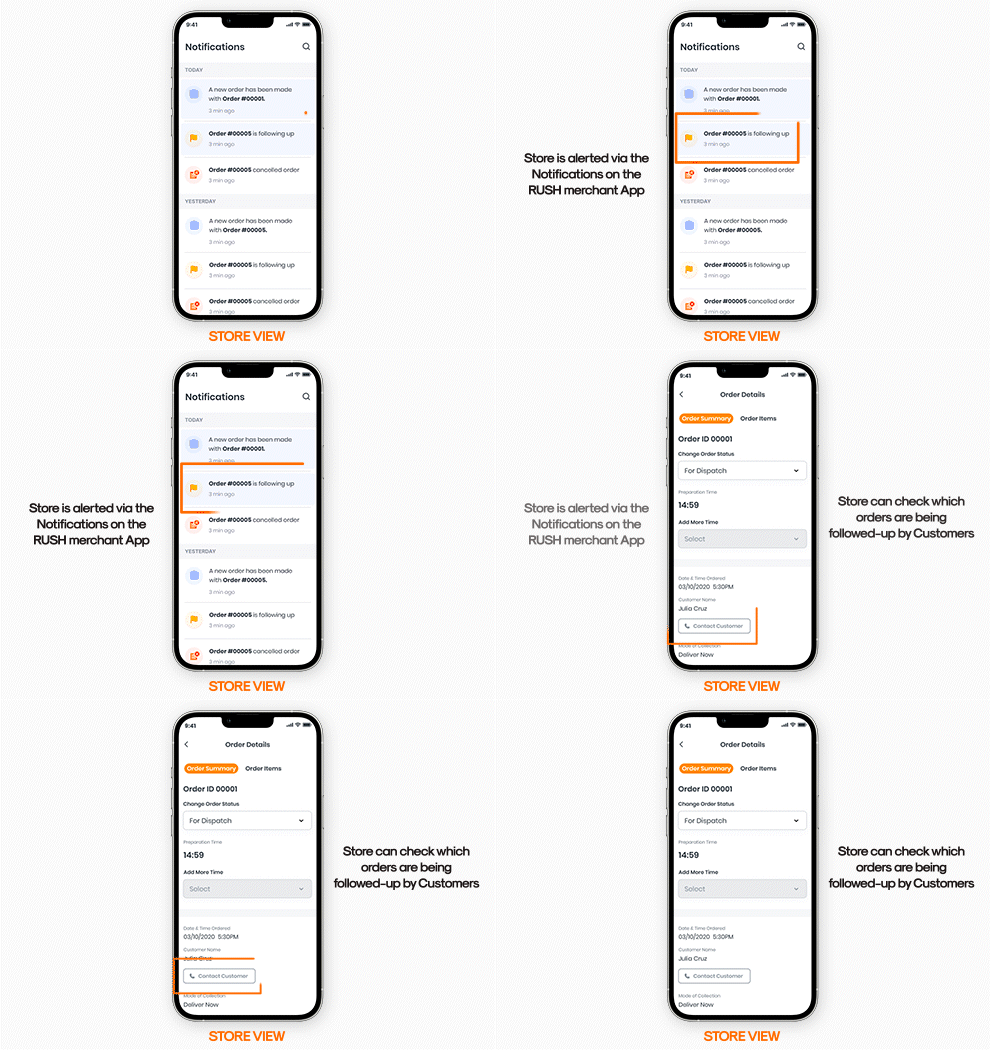
                       RUSH MMA featuring Order Details, where a customer's follow-up request can be viewed and addressed.